Internet at Sea: The Exact Setup Cruisers Use to Stay Connected Even Mid-Ocean

How do cruisers get internet at sea? From local SIMs and marina Wi-Fi to Starlink and satellite messengers, here’s the full connectivity playbook.
*This post may contain affiliate links. Please read our disclosure policy for more info.
Can you work remotely, stream movies, and call home from a sailboat? It depends on where you are and what equipment you have.
Cruisers get internet at sea through cellular data, marina or shore Wi-Fi, and satellite systems like Starlink.
Near the coast, we can often connect through a phone or onboard cellular router. Once we sail beyond cellular range, we need satellite internet or a satellite communicator. Most cruisers use a combination of these options, depending on where they are and how much connectivity they need.
After years of living aboard a sailboat and cruising, I’ve connected to the internet in busy marinas, remote anchorages, and miles from shore. Along the way, I’ve used most of these options.
In this article, I explain how each option works, the pros and cons, and which ones make the most sense for coastal cruising and offshore passages.
1. Using Cellular Data Near the Coast

When you cruise close to shore, cellular data is often the easiest and most affordable way to get online. If you’re near a town or traveling along a built-up coastline, you can usually pick up the same 4G or 5G signal people use on land.
Many cruisers buy local SIM cards when arriving in a new country and can use their phones as a hotspot. This lets you connect a laptop or another device through the phone’s data plan.
There are also eSIMS, which allow you to buy and activate a local data plan online instead of hunting down a phone store and swapping physical SIM cards every time you reach a new country.
For a more permanent setup, some cruisers install a router and an antenna high on the boat, often on the mast. The router creates a Wi-Fi network so you don’t need to keep a phone’s hotspot running all day, while the antenna helps pick up a signal from farther away. To use it, you insert a SIM card into the router, then connect your phone, laptop, and other devices just as you would at home.
Cellular data has limits. Cliffs, hills, and islands can block the signal, and coverage often disappears along remote coastlines. We’ve anchored in places where our phones worked perfectly in one corner of the cockpit but not on the bow. Sometimes we’ve even lost service as soon as the boat swung around. And once you sail far enough offshore, cellular data stops working altogether. (For the land-based version of this playbook, see our full guide to van life internet options.)
2. Connecting to Marina and Shore Wi-Fi
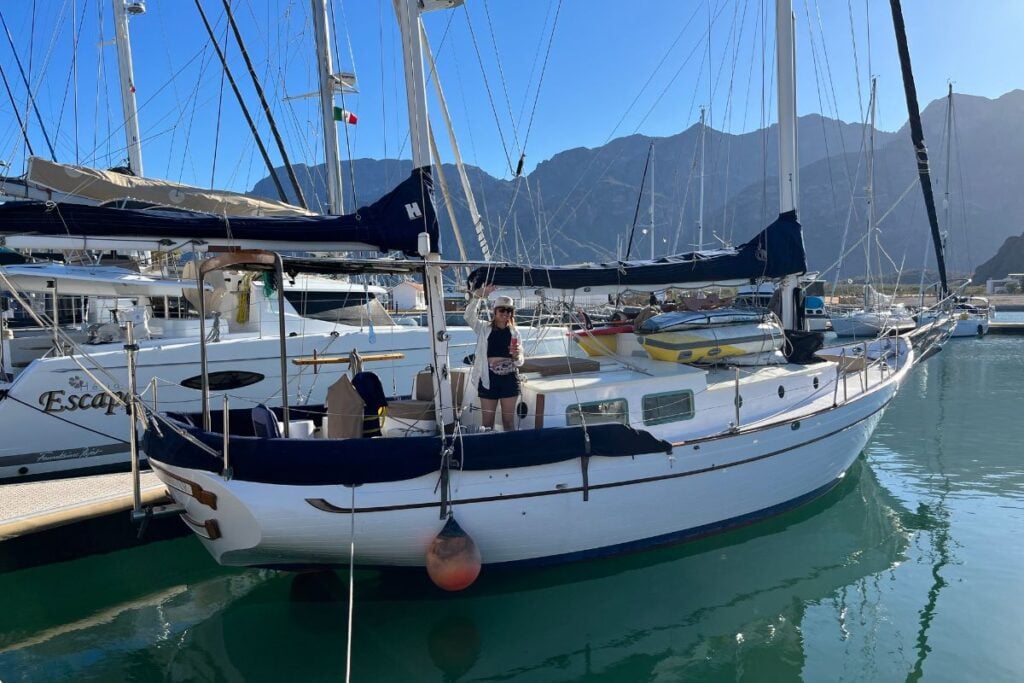
Marinas often include Wi-Fi with the price of a berth, but that doesn’t mean you’ll get a fast – or even usable – connection.
In my experience, some marina Wi-Fi doesn’t work at all, especially from the boat. The signal might reach the office or the end of the dock but disappear before it reaches your cabin.
A Wi-Fi booster or external antenna can help you pick up a weak signal from farther away, but it won’t fix an overloaded or broken network.
Back in the day, we relied on marina and public Wi-Fi to save our mobile data. We even chose cafés for the strength of their connection rather than the quality of their coffee.
Public Wi-Fi comes with security risks, though, so you should avoid using it for sensitive work or accessing important accounts. When we have no other option, we use a trusted VPN to make the connection more secure.
3. Using Starlink on a Boat
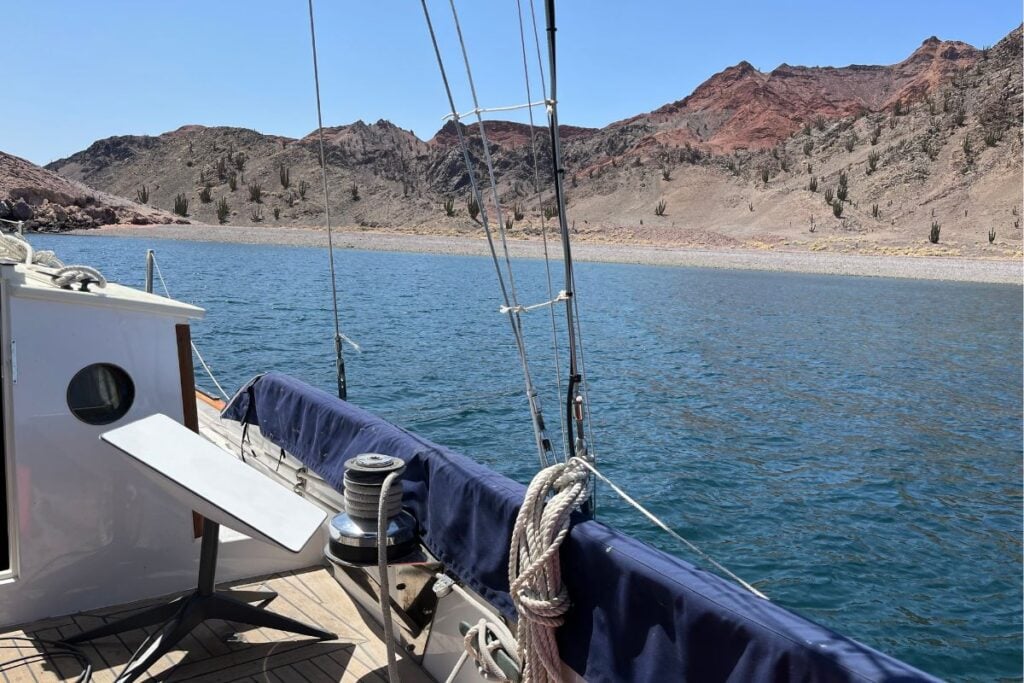
Starlink has completely changed the way many cruisers get online. Instead of connecting to a cell tower on shore, the dish connects to satellites overhead, so it can work in remote anchorages where our phones have no service.
Today, Starlink is the option I use most of the time, both on the sailboat and while traveling in our van. (Curious about the smallest dish? Here’s a full review of living with the Starlink Mini.)
The dish needs a clear view of the sky, so you need to find a spot where the mast, sails, and other equipment won’t block it too much. It also takes up space and uses more power than a phone or small cellular router, but you can switch Starlink off when you don’t need it.
The setup you need depends on where you plan to sail. At the time of writing, a standard Roam plan works up to 12 nautical miles from shore, but you’ll need an ocean-capable plan if you want to stay connected offshore. And be careful – you can rack up a huge ocean data plan if you’re streaming movies or using high amounts of data on a passage.
Starlink isn’t the smallest, cheapest, or most power-efficient way to get online, but it gives us a lot of freedom. I love it because I can work, join video calls, stream movies, download weather forecasts, and keep in touch from remote places.
4. Other Ways to Stay Connected Offshore

Starlink can give you high-speed internet on an ocean passage, but not every cruiser needs (or wants) a full internet connection at sea. If you only need weather forecasts, short messages, tracking, and emergency communication, a smaller satellite device may make more sense.
Satellite messengers like the Garmin inReach connect directly to satellites, so they continue working after you sail beyond cellular range. You can use one to send and receive short messages, share your location, request weather forecasts, and trigger an SOS. It uses much less power than Starlink, but it won’t let you browse the web, join video calls, or stream movies.
An Iridium GO! with a subscription to a weather service offers more features. It creates a satellite-powered Wi-Fi connection for your phone or laptop and supports messages, email, weather downloads, voice calls, and some basic online services. The connection remains much slower than Starlink, so media-heavy websites and video streaming don’t work well.
We don’t make many long offshore passages, so a satellite messenger covers what we need.
Which Internet Option Works Best for Cruisers?
The best option depends on where you sail, how much data you need, and how much power you have available. Most cruisers use more than one.
| Option | Best for | Main advantage | Main drawback |
|---|---|---|---|
| Phone hotspot or local SIM | Coastal cruising | Simple and affordable | Needs cellular coverage |
| Onboard cellular router | Regular coastal use | Always-on connection for the boat | Still depends on cell towers |
| Marina or café Wi-Fi | Marina stays and time ashore | Often free or inexpensive | Can be slow, unreliable, or insecure |
| Starlink | Remote anchorages and heavy internet use | Fast internet | Uses more power and costs more |
| InReach or similar | Passages and emergencies | Small and low power | Doesn’t provide full internet |
| Iridium GO! exec or similar | Weather, email, and messages at sea | Works far from land | Slower and more expensive |
How Much Power Does Boat Internet Use?
On a boat, every device draws from the same battery bank, so we pay more attention to how much power our internet setup uses. At night, we have to think about it even more because our solar panels stop producing power, and we can’t always count on the wind turbine to make up the difference.
Phones and small satellite messengers don’t need much. We charge them as needed, just like any other portable device.
A cellular router uses more because you normally leave it running, while a powered signal booster adds another small draw.
Starlink uses quite a bit more power. The Mini draws around 20 to 40 watts on average, while the Standard uses roughly 75 to 100 watts. If you have plenty of solar and a large battery bank, this may not cause a problem. But when power runs low after a few cloudy days, you may not want to leave Starlink running all the time. We tend to switch ours off when we go to bed.
Always Have a Backup
No matter how good your setup is, you shouldn’t expect it to work all the time. Cellular coverage disappears, equipment fails, satellite dishes lose their view of the sky, and the boat can run low on power.
Even with Starlink aboard, we carry an eSIM card and a satellite messenger so we can still send messages or call for help if our main connection fails.
Before we set sail, we download the latest charts, weather forecasts, important documents, and anything else we may need during the passage. We also download music, books, podcasts, and movies.
Staying Connected at Sea
Getting online while cruising has never been easier, but no single option works everywhere. We switch between cellular data, Wi-Fi, Starlink, and a satellite messenger depending on where we are and what we need.
It still feels slightly surreal to anchor somewhere completely wild and join a video call from the cockpit, but I love having the choice.
Frequently Asked Questions
Can you get internet in the middle of the ocean?
Yes, but you’ll need a satellite connection. With the right offshore plan, Starlink can give you high-speed internet. Smaller devices like the Garmin inReach let you send messages, check the weather, and call for help.
How far offshore does cellular data work?
There’s no set distance. It depends on where the cell towers are and whether cliffs, hills, or islands block the signal. In some places, your phone may work several miles offshore. In others, you’ll lose service soon after leaving the harbor.
Does Starlink work on a moving boat?
Yes, but you need compatible equipment and the right plan. The rules also change depending on whether you’re close to shore or on the open ocean.
Can you work online from a sailboat?
Yes. I’ve been doing it for years!
Do you still need a satellite messenger if you have Starlink?
It’s a useful backup offshore. A satellite messenger uses little power and can still send messages or call for help if Starlink stops working.
How much power does Starlink use?
The Starlink Mini uses around 20 to 40 watts, while the Standard uses roughly 75 to 100 watts. The exact amount varies depending on the equipment and how you use it.